For the complete documentation index, see llms.txt. Markdown versions of all docs pages are available by appending .md to any docs URL.
Langfuse
Integrate agentgateway with Langfuse for LLM analytics and prompt management
Langfuse is an open-source LLM observability platform that provides prompt management, analytics, and evaluation.
Features
- Prompt tracing - Log all prompts and responses
- Cost tracking - Monitor token usage and costs
- Latency analytics - Track response times
- Prompt management - Version and deploy prompts
- Evaluation - Score and evaluate outputs
- User tracking - Attribute usage to users
Setup
Self-hosted Langfuse
Run Langfuse locally with Docker:
git clone https://github.com/langfuse/langfuse.git
cd langfuse
docker compose up -d
Access Langfuse at http://localhost:3000.
Cloud Langfuse
Sign up at langfuse.com and get your API keys.
Configuration
Langfuse accepts OpenTelemetry traces directly. Configure agentgateway to export traces directly to your Langfuse deployment.
Set the credentials that the tracing policy sends in its Authorization header. Export the variable in the environment that starts agentgateway. The UI checks environment variable references when you save, so a save from the UI fails if agentgateway does not have the variable.
export LANGFUSE_AUTH_HEADER="$(printf '%s' '<your-public-key>:<your-secret-key>' | base64 | tr -d '\n')"You can configure tracing in the UI or in your configuration file.
Whether the UI can save depends on your storage mode. For more information, see Save changes from the UI.
Create a configuration that routes LLM traffic, and start agentgateway.
cat <<'EOF' > config.yaml
# yaml-language-server: $schema=https://agentgateway.dev/schema/config
gateways:
  default:
    port: 3000
routes:
- backends:
  - ai:
      name: openai
      provider:
        openAI:
          model: gpt-4o-mini
  policies:
    backendAuth:
      key: "$OPENAI_API_KEY"
EOF
agentgateway -f config.yamlOpen the Settings > Observability page, such as http://localhost:15000/ui/settings/observability, and click the Tracing card.
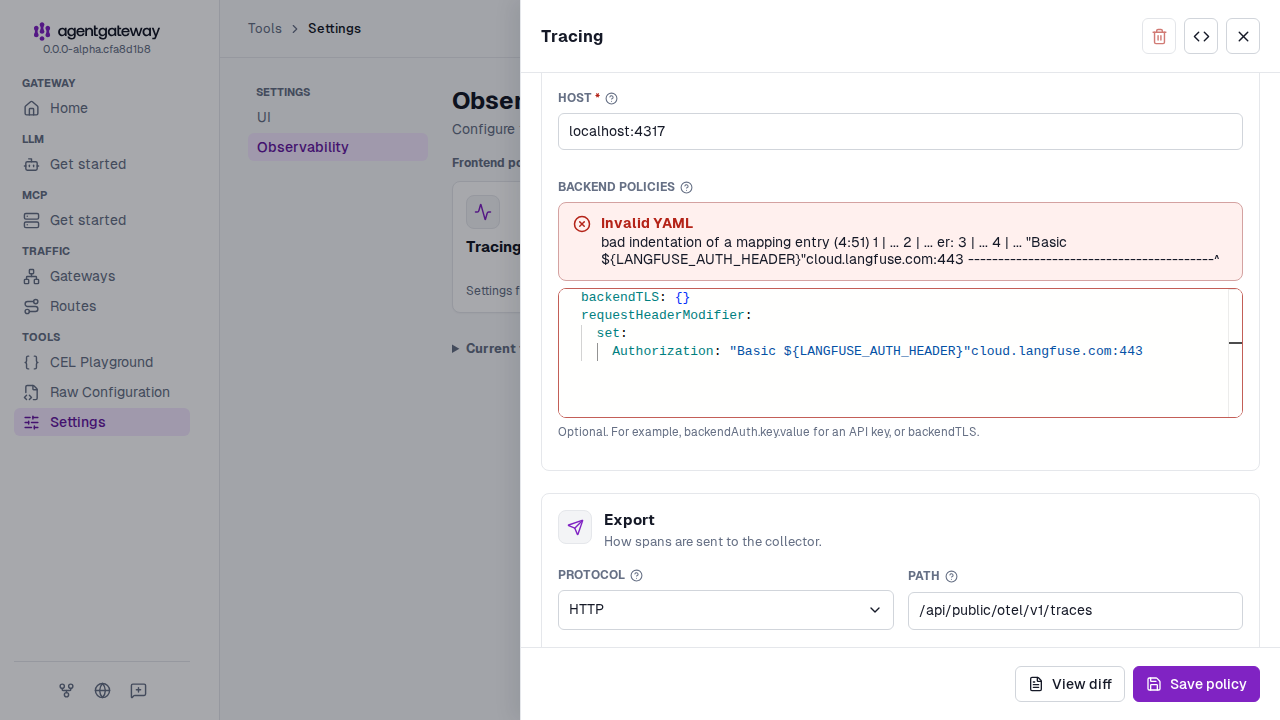
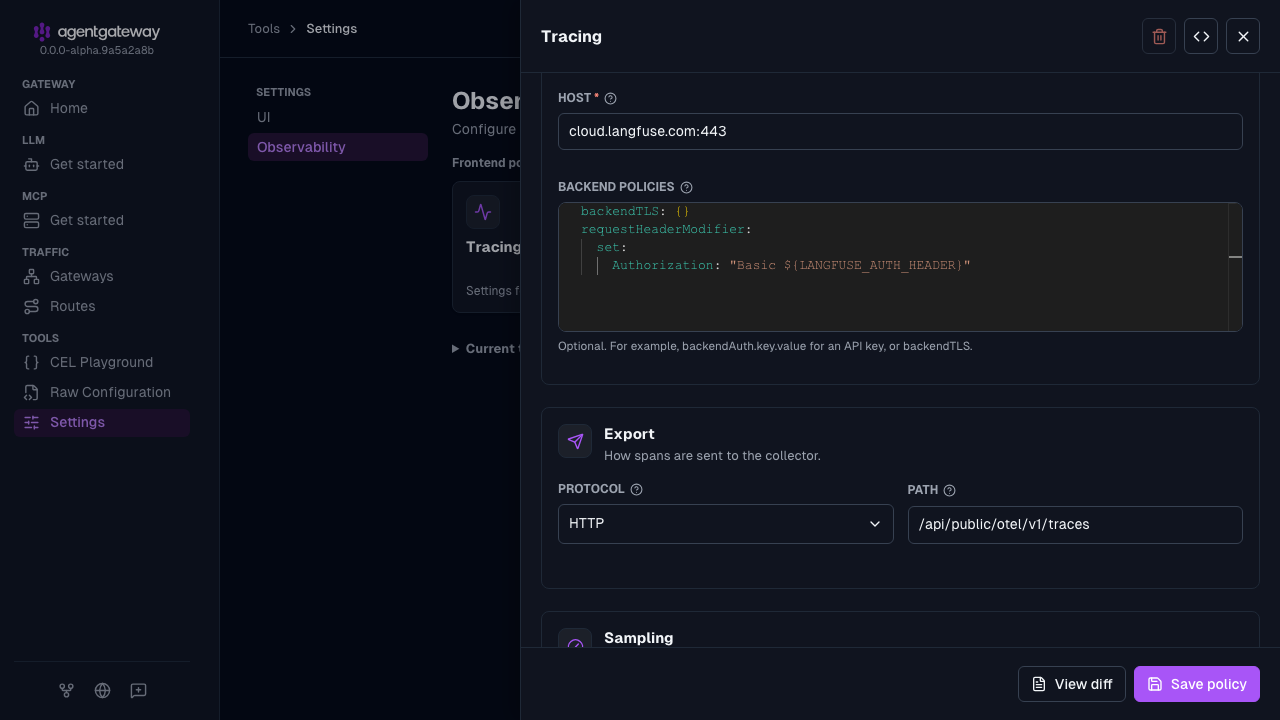
In the Tracing drawer, configure the following fields.
- Host: Enter
cloud.langfuse.com:443. For a self-hosted instance, enter your Langfuse hostname and port. - Backend policies: Enter the following YAML to enable TLS and set the authentication header.
backendTLS: {} requestHeaderModifier: set: Authorization: "Basic ${LANGFUSE_AUTH_HEADER}" - Protocol: Select HTTP, and enter
/api/public/otel/v1/tracesfor the Path. - Random sampling: Enter
true.
- Host: Enter
Click Save policy.
Authentication
The tracing policy sends the LANGFUSE_AUTH_HEADER credentials in its Authorization header. The policy selects OTLP over HTTP, enables backend TLS, and uses the full trace ingestion path from the Langfuse OpenTelemetry guide.
For a self-hosted instance, replace host with your Langfuse hostname and port, and keep the /api/public/otel/v1/traces path and authentication header. Remove backendTLS only if the destination serves plain HTTP.
Docker Compose example
For Langfuse Cloud, agentgateway exports traces directly without needing an OTel Collector:
version: '3'
services:
  agentgateway:
    image: cr.agentgateway.dev/agentgateway:latest
    ports:
      - "3000:3000"
    volumes:
      - ./config.yaml:/config.yaml:ro
    command: ["-f", "/config.yaml"]
    environment:
      - LANGFUSE_AUTH_HEADER=${LANGFUSE_AUTH_HEADER}
      - OPENAI_API_KEY=${OPENAI_API_KEY}
For self-hosted Langfuse, use your existing instance and ensure that the agentgateway container can reach its hostname.